
3D Unfolding software

In partnership with AutoPOL, JETCAM now offers an automatic 3D unfolding option for JETCAM Expert, which will allow you to instantly flatten and import files from most popular CAD systems during the CAD import process.

Pair the Unfolder with JETCAM Orders Controller to completely automate the process - from 3D to NC.
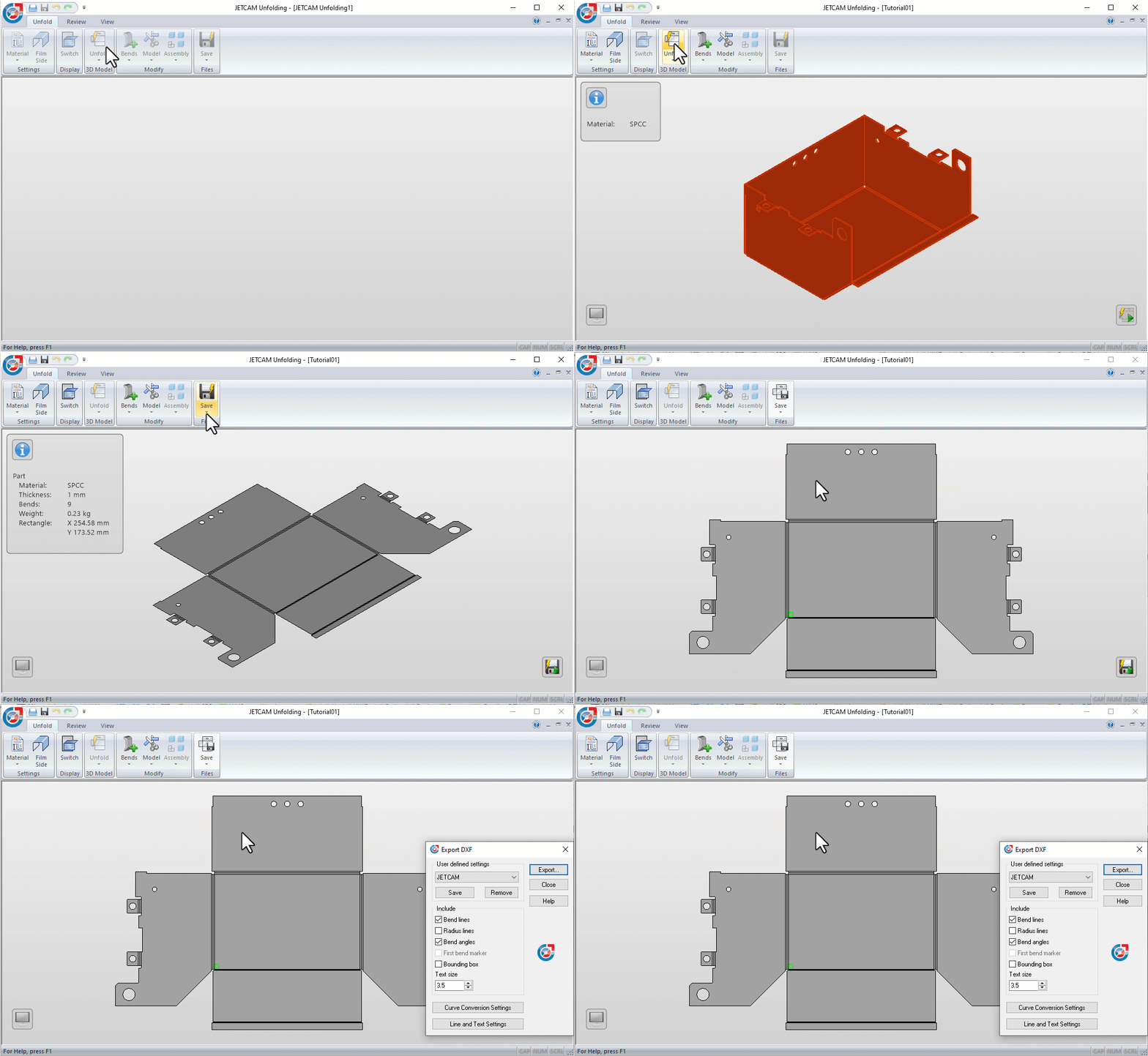
3D unfolding software

Unfolding all popular formats

Support for all major file formats, with regular updates to the latest file versions.

Adapt to production

Get an accurate calculation of the flat pattern. JETCAM Unfolder takes material and machine tooling into account.

Standalone or Floating

Use with a single JETCAM Expert system, or share the license across multiple systems.

Ready for production

All the output from Unfold is ready for production, meaning that no additional input is needed. The pattern contains bend lines, angles, tool info etc. and is CAD/CAM software friendly and user configurable.

From 3D to NC in 60 seconds

Fully automated workflow with silent unfolding

When you combine JETCAM Unfolding with JETCAM Orders Controller you can feed a CSV file containing any number of 2D or 3D parts for CAD import and nesting.

In this video you can see JETCAM Orders Controller Premium Automation using RCP (Remote Control Processing) to feed a series of parts to JETCAM Expert, which in turn is silently unfolding them in the background, before applying tooling.

As the CSV also contains the number of parts to order, we can move straight to nesting, with optimised nests and NC code available in under a minute.

Supported file formats

3D File Import Extension(s)
Acis .sat
Catia V4 .model .exp
Catia V5 .CATPart .CATProduct
3DExperience .CATPart .CATProduct
ProE / Creo .prt .asm
IGES .igs .iges
Inventor .ipt .iam
JT .jt
Parasolid .x_t .xmt_txt
Siemens NX .prt
Solid Edge .par .asm .psm
Solidworks .sldprt .sldasm
STEP .stp .step
   
3D File Export  
Acis .sat
STEP .stp
   
2D File Export  
Drawing eXchange Format .dxf
Trumpf GEO .geo
System requirements
Software 64-bit Microsoft Windows 10 or newer.
Hardware 64-bit Intel or AMD, 2.0 GHz or faster processor
  4 GB RAM (8 Gb or more recommended)
  5 GB of free disk space
  Graphics card with 1 GB.
  Minimum 1280×900 display resolution
   Mouse (wheel mouse recommended)
Graphics JETCAM Unfolding takes advantage of 3D Graphics hardware. To use AutoPOL with OpenGL, the OpenGL driver provided by the 3D graphics card vendor must have full support of Open GL 3.3 or later.
Rights Before installing, make sure you have read and write access rights to the following locations for the proper installation and execution of the software:
  JETCAM installation folders
  Windows system folder
   System registry
Virtual Machines Running JETCAM Unfolding on Virtual Machines (VMs), for example Remote Desktop or RemoteApp, requires a Network license. Standalone licenses are not supported in virtual environments.
Network License To use a network license of JETCAM Unfolding you need to have a Windows Network with TCP/IP support.
Find out more

Request an online demo of JETCAM's 3D Unfolding to see how you can streamline your workflow processes.

Turnstile *